Write prompts like specifications
The prompts that hold up in production read less like clever incantations and more like a well-written brief for a new colleague. Treat them as code: versioned, reviewed and tested.

There was a period when prompt writing was treated as a dark art: magic phrases, capitalised warnings, elaborate role-play and tips passed around like recipes. Some of those tricks worked for a while on particular models. Very few survive a model upgrade.
The prompts that hold up in production look different. They read like a clear brief given to a capable new colleague who knows nothing about your business: what the task is, who it is for, what good looks like, what to do when unsure. In other words, they read like a specification. And they deserve the same engineering discipline as any other specification that drives software behaviour.
What a good prompt specifies
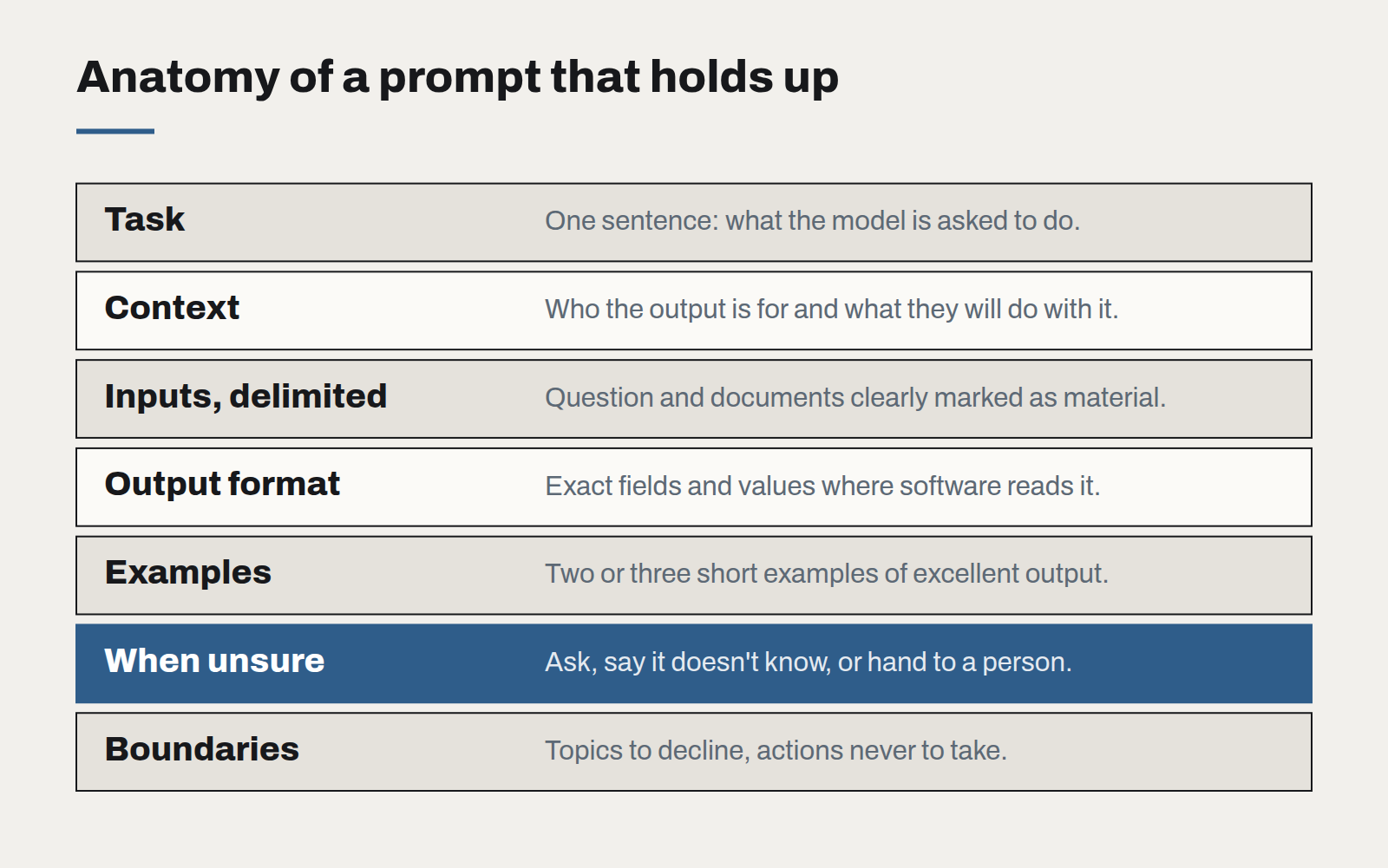
- The task, in one sentence. Before anything else, state plainly what the model is being asked to do.
- The context. Who the output is for, what they already know, and what they will do with it.
- Inputs, clearly separated. Mark where the user's question, retrieved documents and other data begin and end, so the model can tell instructions from material.
- The output format. Exact structure where software will read the result — named fields, allowed values, length limits. Plain guidance where a person will.
- What good looks like. Two or three short examples of excellent output do more than paragraphs of adjectives.
- What to do when unsure. Whether to ask a question, say it doesn't know, or hand the case to a person. This one instruction prevents a large share of confident wrong answers.
- Boundaries. What the model must not do: topics to decline, actions to never take, information never to reveal.
Treat prompts as code
A prompt is part of the program. Changing it changes behaviour for every user. So:
- Keep prompts in version control, not in a dashboard or a database field someone edits by hand. Every change has an author, a date and a reason.
- Review changes the way you review code. A second reader catches ambiguity the author cannot see.
- Test every change against the evaluation set before it ships. A tweak that fixes one case and breaks four others should never reach users.
- Template, don't concatenate. Build prompts from named parts — instructions, examples, retrieved context — so each can be changed and tested independently.
Write for the next model, too
The prompts that migrate best between models are the ones with the fewest tricks. Clear structure, explicit instructions and good examples work across providers and generations. Model-specific hacks tend to become liabilities the moment you switch.
A useful habit is to read the prompt aloud as if briefing a new staff member. If a thoughtful person would be confused, the model probably will be too — just more quietly. If a thoughtful person would know exactly what to do, you have written a good specification.
The best prompt engineering we see is indistinguishable from good technical writing.
Governing AI use without banning it
Staff are already using AI tools, approved or not. A short, practical policy — backed by tools people actually want to use — protects the business better than a prohibition nobody follows.
The real cost of an AI feature
The token bill is the smallest line in the budget. Evaluation, review, support and change management are where AI features actually cost money — and where the business case should look first.
Small models, local data
Not every AI task needs the largest model in the world. For privacy-sensitive, high-volume work, a small model you control is often cheaper, faster and easier to defend.