WebGPU and the return of the rich web
Real-time 3D, large visualisations and on-device AI now run in an ordinary browser tab. The question is no longer whether the web can do it, but whether your content deserves it.

For most of the last decade, "rich" web experiences meant a heavy JavaScript bundle and a loading spinner. Serious graphics lived in native apps and game engines. The browser was for documents and forms.
That boundary has moved. WebGPU, now available in the major browsers, gives web pages direct, modern access to the graphics card — the same kind of access native applications have. Combined with a mature WebGL ecosystem, it means real-time 3D, large interactive data visualisations and even running AI models on the user's own device are ordinary browser capabilities rather than experiments.
What it makes practical
- Product visualisation. Configurators and 3D product views that load quickly and run smoothly on mid-range laptops and phones, without an app install.
- Data at scale. Plotting millions of points — sensor data, transactions, geographic records — interactively, with filtering that responds as you drag.
- On-device inference. Smaller AI models for tasks such as transcription, image classification or text embedding can run on the user's GPU. The data never leaves the device, which matters for privacy-sensitive work.
- Brand moments. A single, memorable interactive piece on a homepage that would once have been a video.
Three of the concepts in our own case library — a lit globe, a mechanical movement and a glass specimen — are built this way: generated in the browser from code and small data files, with no models or textures downloaded. They were a deliberate test of how far a plain web page can now go.
The discipline it needs
Capability is not the same as appropriateness. The same power that makes a beautiful product viewer possible also makes it easy to ship a homepage that drains a phone battery and delays the first sentence by four seconds.
The rules we work to:
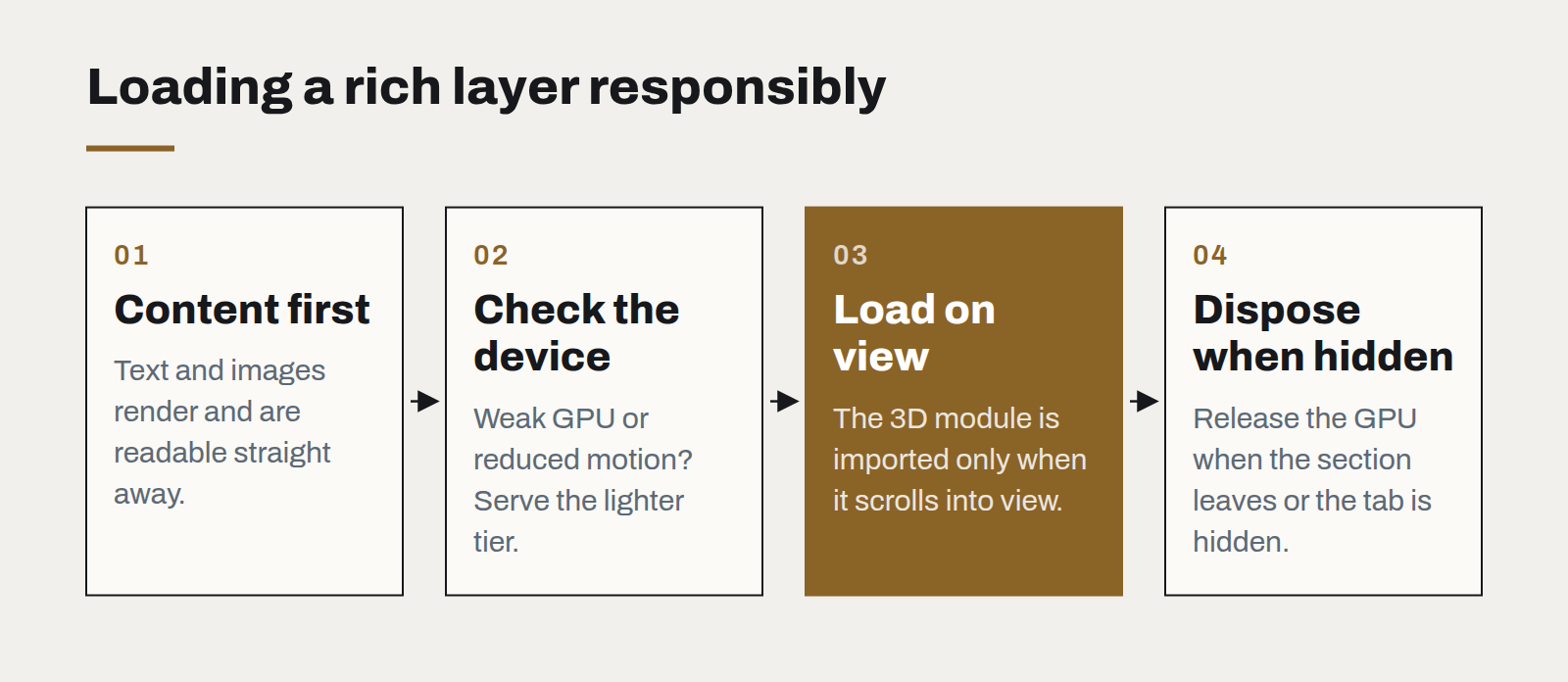
- Content first, graphics second. The page must be readable and useful before any 3D loads. Load the rich layer only when it scrolls into view, and dispose of it when it leaves.
- Budget per device. Test on a three-year-old mid-range phone. Offer a lighter tier automatically when the device is weak or the user prefers reduced motion.
- Generate, don't download. Procedural geometry and textures computed at load are often smaller than the assets they replace.
- Measure. Track load time, frame rate and battery impact with the same seriousness as any other performance metric.
When it is worth it
A useful test is whether the interaction teaches something a static image cannot. Rotating a product shows how it is built. Scrubbing through a dataset reveals a pattern. Dragging a globe to find a city is faster than reading a list. If the 3D is only there to look impressive, a well-made image will serve the user better and cost far less.
The web can now do almost anything. The craft is in deciding what it should.
What changes when software is cheap to write
AI coding tools have made producing code dramatically faster. They have not made deciding what to build, checking that it works or running it for years any cheaper — and that shifts where the value is.
Legacy modernisation without the big bang
The rewrite that replaces everything at once is the most reliable way to lose two years. Replacing a system one route at a time is slower to describe and much faster to finish.
Passkeys are ready. Your login page probably isn't.
Phishing-resistant sign-in now works across the devices your customers already own. The technology is done; what remains is product design and a sensible migration plan.